


FIG. 01
PLUGGABLE ENGINES
Seven open-source engines — VibeVoice, Kokoro, Kitten TTS Mini, Chatterbox, OmniVoice, VoxCPM, and Qwen3-TTS — behind one clean interface. Only one loads at a time to keep memory low.
YOUR SCRIPTLOCAL AUDIO
Seven open-source TTS engines — voice cloning, multi-speaker podcasts, and 30+ languages. All on your machine. No cloud, no API keys, and audio never leaves your computer.
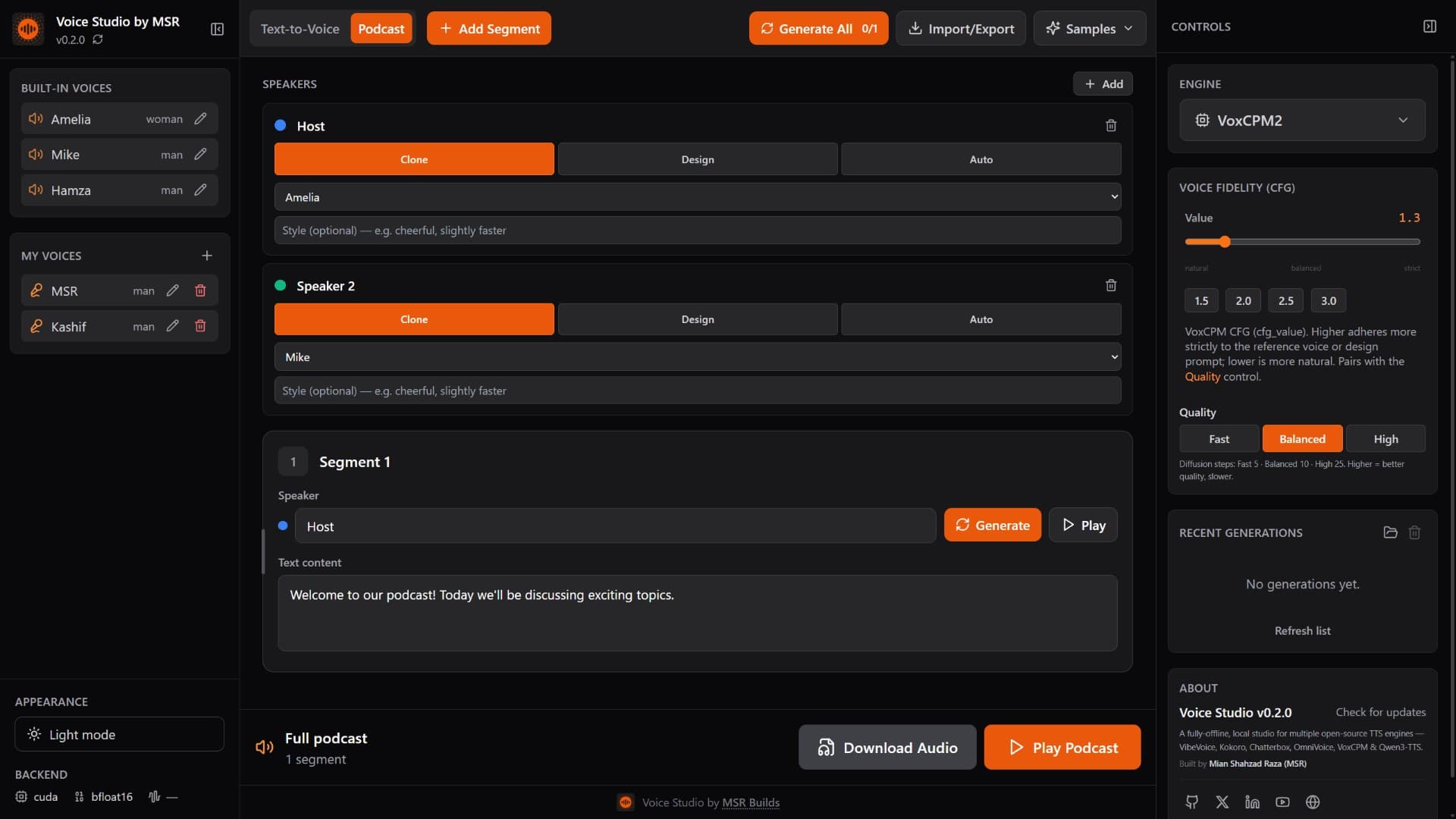
// SEVEN OPEN-SOURCE TTS ENGINES · ONE LOCAL STUDIO
// CORE_CAPABILITIES
A full text-to-speech studio that runs locally — multi-engine, multi-speaker, and private by design.
Seven open-source engines — VibeVoice, Kokoro, Kitten TTS Mini, Chatterbox, OmniVoice, VoxCPM, and Qwen3-TTS — behind one clean interface. Only one loads at a time to keep memory low.
No cloud, no telemetry, no API keys. Audio never leaves your machine.
Clone a voice from a short reference clip, or design one from a text prompt.
Clone, design, or auto — per speaker.
Multilingual synthesis with native-script support: اردو, हिन्दी, 中文 and more.
Install isolated engines and download model weights from the UI, with live progress.
Checks GitHub releases and applies updates in place, right from the app.
Podcast, Text-to-Voice, Transcribe (speech-to-text with Whisper), and Dub — re-voice any clip in a voice you choose.
Manage built-in and cloned voices with per-voice metadata and reference transcripts.
// HOW_IT_WORKS
A pluggable engine pipeline: pick voices, load one engine, synthesize locally, and keep every byte of audio on your machine.
Write a multi-speaker script or plain text, then assign a voice per speaker — built-in or cloned from a reference clip.
The selected engine loads lazily on first use — only one at a time to keep memory low. Conflicting engines run in their own isolated venv.
Multi-speaker lines render as separate calls and join with silence gaps. Results are cached to disk so repeats are instant.
Audio is written straight to your disk. Nothing is uploaded, streamed to a cloud, or tracked — ever.
// TTS_ENGINES
Each engine has its own strengths. Only one loads at a time to keep memory low — install and download any of them right from the app.
Expressive multi-speaker synthesis for rich, natural dialogue.
Fast and tiny, yet multilingual — great on modest hardware.
An ~80M ONNX model that runs on CPU with no GPU — the low-end-hardware tier.
Voice cloning across a wide range of languages.
Clone from a clip, design from a prompt, or go fully automatic.
High-fidelity 48 kHz output with ultimate reference cloning.
Nine premium built-in voices with free-text style control.
// UNDER_THE_HOOD
A FastAPI backend serving open-source models to a React editor — all running on your own hardware, no accounts required.
Backend API server
Frontend editor UI
Model inference
Model weights & cache
Engine runtimes
Auto-detected acceleration
ENGINE
1 ACTIVE
DEVICE
AUTO
CACHE
ON DISK
// LOG_STREAM
LIVENo network calls
ASGI server
Config & schemas
Backend language
App styling
Synthesis cache
// BY_THE_NUMBERS
TTS ENGINES
all open source
LANGUAGES
multilingual synthesis
SAMPLE RATE
VoxCPM2 hi-fi
OFFLINE
no cloud, no API keys
// GET_STARTED
Python 3.10+ and Node 18+. Setup auto-detects your GPU and installs the matching PyTorch build, then lets you pick which models to download.
git clone https://github.com/msrbuilds/voice-studio.git
cd voice-studio
python studio.py setup     # venv, deps, CUDA auto-detect, model picker
python studio.py start # backend + frontend100% OFFLINE • NO API KEYS • OPEN SOURCE